Available now · iPhone, iPad & Apple Watch

Care is best when you’re connected.

Share how you’re doing with the people you trust, or keep a private journal for yourself. Set smart alarms and check-in reminders with safety backup to alert selected contacts if you don’t respond in time.

  • Share your wellness status with people you trust.
  • Alert selected contacts if you miss a protected check-in.
  • Reach your Care Circle when you need help.
Download WellAlert on the App Store Free to download
  • No wearables required
  • No monitoring center
  • No ads
How it works

Choose who follows up when you miss a check-in.

Choose whom to share with, when to check in, and who can help when you need support.

  1. Add your people

    Choose the family, friends, colleagues, or caregivers you trust. They install WellAlert and accept your request before they can receive push and in-app alerts.

  2. Schedule check-ins

    Use repeating check-in alarms on a supported iPhone running iOS 26 or later, or one-time reminders on iOS 17 or later. Choose device-only scheduling or add safety backup and selected contacts.

  3. Respond before the window ends

    When the alarm or reminder arrives, respond within your chosen window. If you don’t respond and safety backup was armed successfully, the server can alert your selected contacts even if your phone goes offline. Alert delivery and a contact’s response are not guaranteed.

Features

Check-ins, reminders, and help from people you know.

Smart alarms and reminders

Set repeating alarms for your routine, or a one-time reminder for a first date, meetup, or journey home. With safety backup armed, selected contacts are alerted if you don’t respond before your window ends. Device-only plans don’t alert contacts. Smart alarms require a supported iPhone with iOS 26 or later; reminders work on iOS 17 or later.

A Care Circle you choose

Keep family, friends, colleagues, and caregivers close, even across countries. See their shared wellness status and notes. Contacts install WellAlert and accept your request to receive alerts. App Store availability and internet access apply.

Ask someone for help

Request support from one Care Circle member, whether that’s a friend, family member, colleague, or caregiver. Choose whom to notify and confirm before sending. Access Ask for Help from iPhone, iPad, supported Home Screen and Lock Screen widgets, or Apple Watch.

Location sharing, on your terms

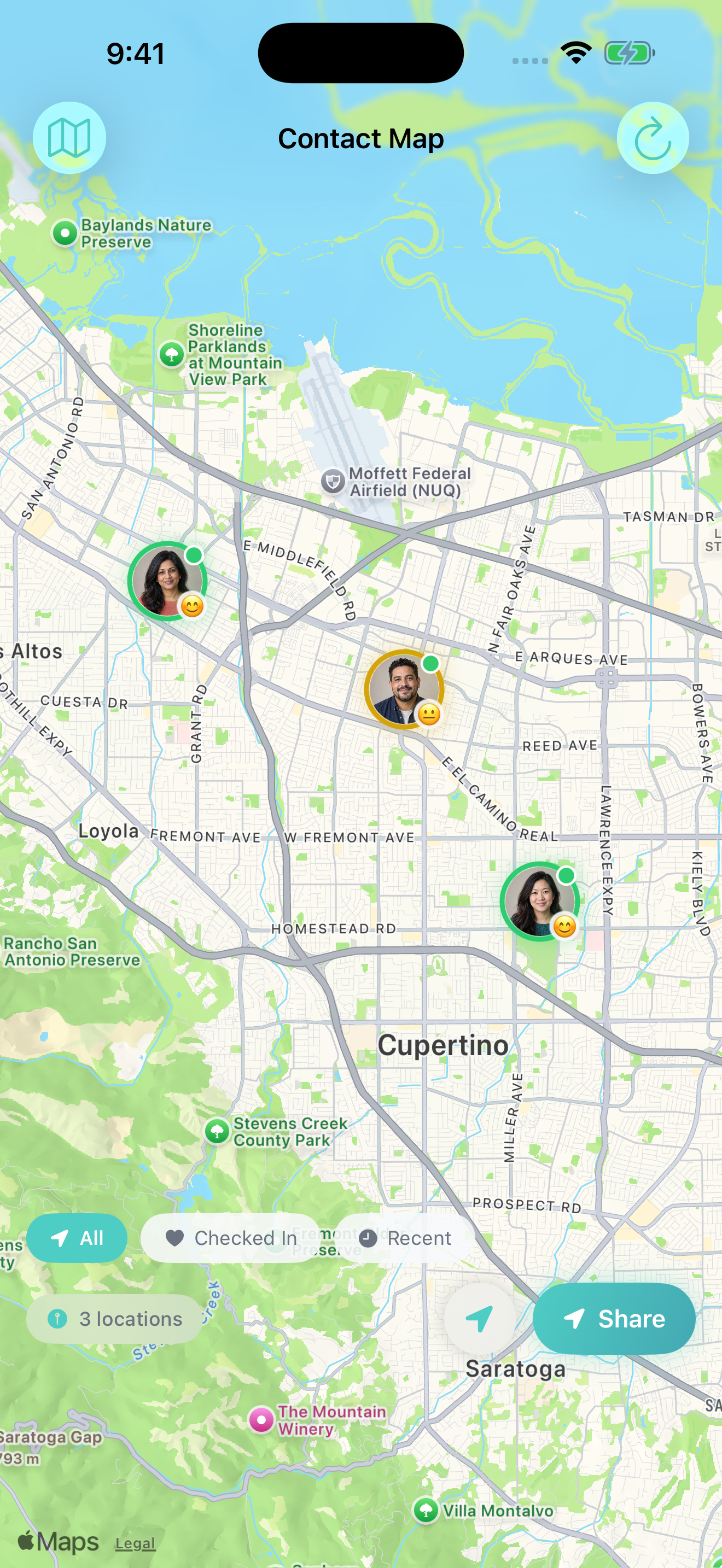
Choose who sees your location and when. Sharing is off by default and requires permission. Enable it for a protected reminder or missed alarm to give selected contacts location context, or share your available location with an SOS alert. Live updates depend on your phone; contacts may see a last known location. Stop optional sharing at any time.

Share how you’re doing

Stay connected, even when you need quiet. Busy day or taking time for yourself? A quick check-in lets the people who matter know how you’re doing.

Put a little more feeling into your wellness status. Choose a wellness rating, customize your icon with up to 3 characters or emojis, and include a note if you like.

Express yourself, your way. Make how you’re feeling easier to share with family, friends, or a wider audience through your preferred social apps.

Choose what each audience sees. For history and privacy details, read the FAQ.

Private journalling, just for you

Record a wellness rating, mood, and note for yourself. Private entries are unlimited on both plans, stay on this device, and don’t notify contacts or change your shared wellness status. They aren’t backed up or transferred between devices or accounts. Free includes 7-day history; Premium includes full history.

SOS for urgent situations

Alert eligible, accepted Care Circle contacts and see their acknowledgements. Review recipients and cancel during the countdown. Use the app, supported widgets, or Apple Watch. Premium offers tiered escalation. Plan limits apply; SOS does not contact emergency services.

Widgets, Apple Watch, and iPad

View Care Circle and wellness updates with Home Screen and Lock Screen widgets. Check in and view status from Apple Watch, or review care updates on iPad’s larger screen.

Stay connected in Messages: share a wellness update, send a check-in reminder, or customize a wellness ring sticker.

Inside WellAlert

Care for everyday life.

Stay close to your people, make plans with contact follow-up, and share on your terms. These current app screens use fictional demo data. Tap to explore at full resolution.

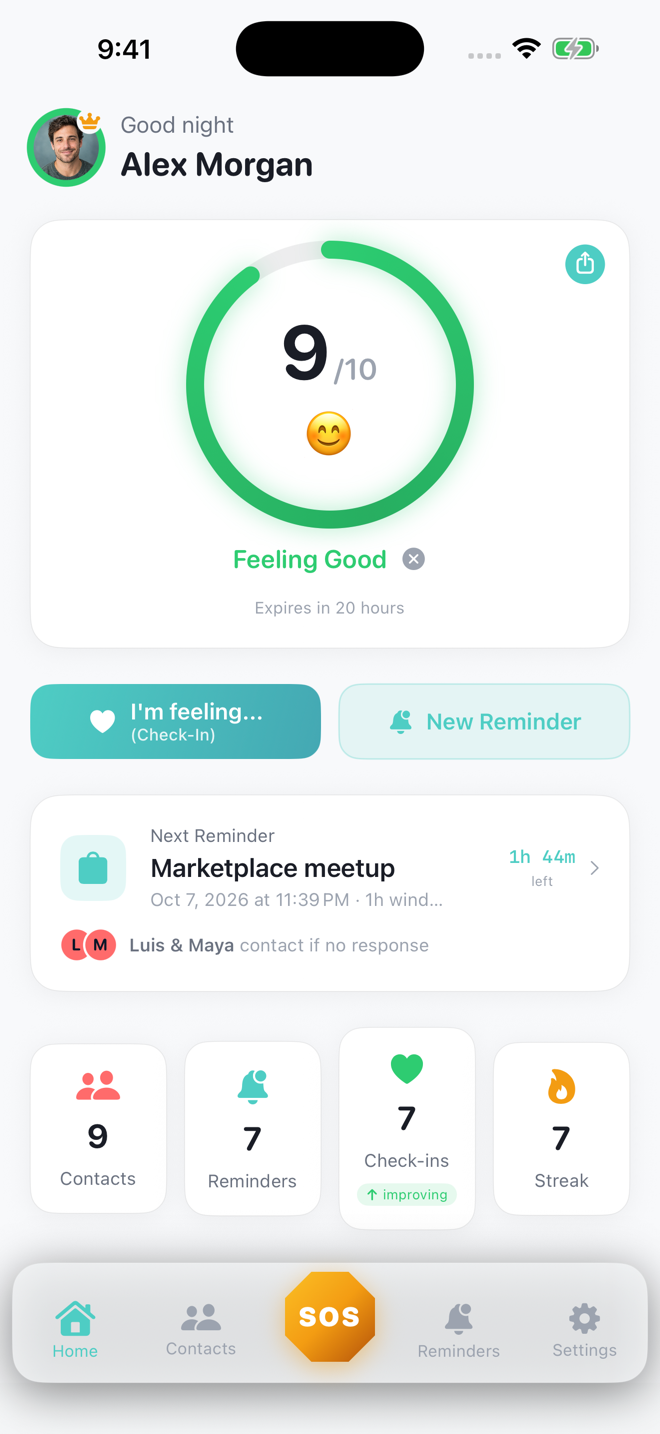
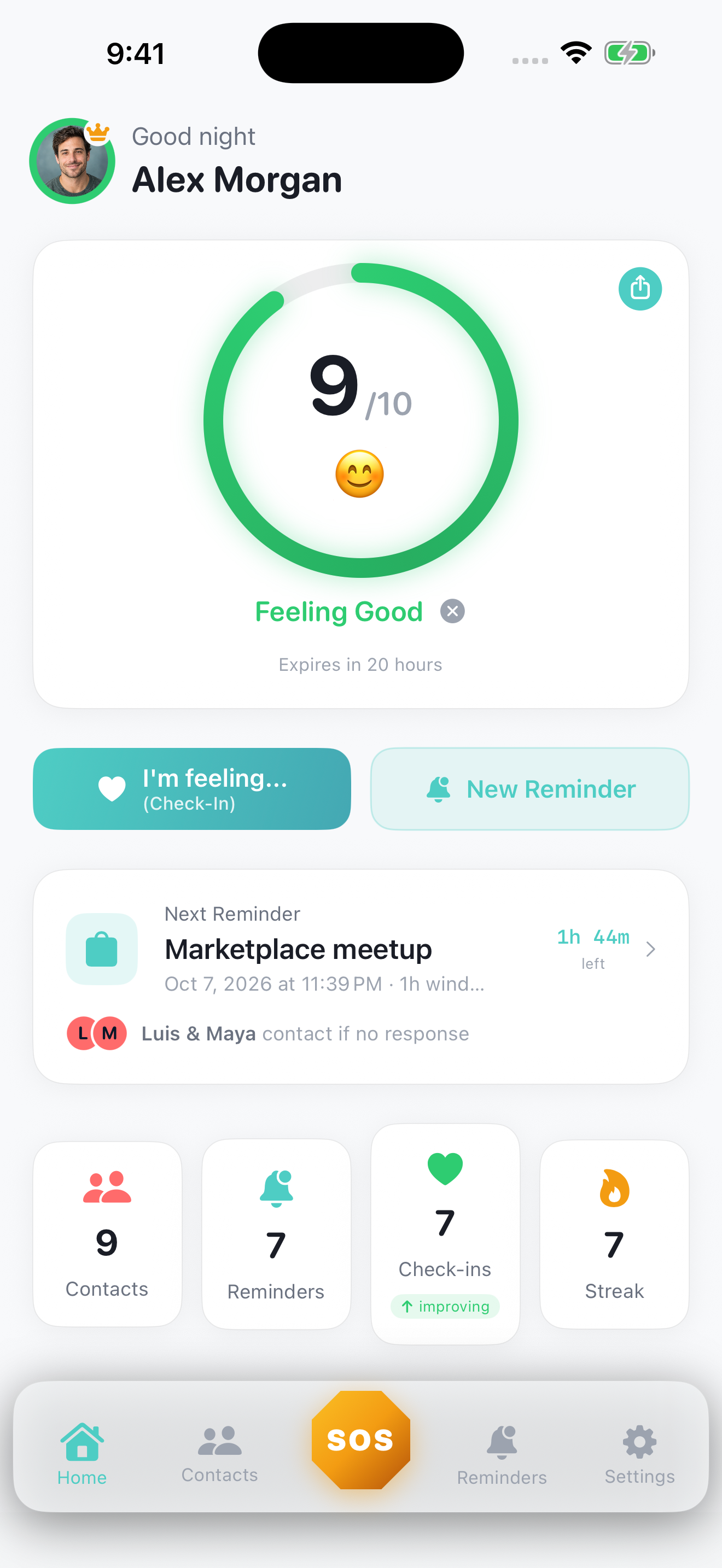
Share a little. Feel closer.Let your people know how you’re doing with a quick wellness update.
WellAlert home screen with fictional sample data View full resolution ↗
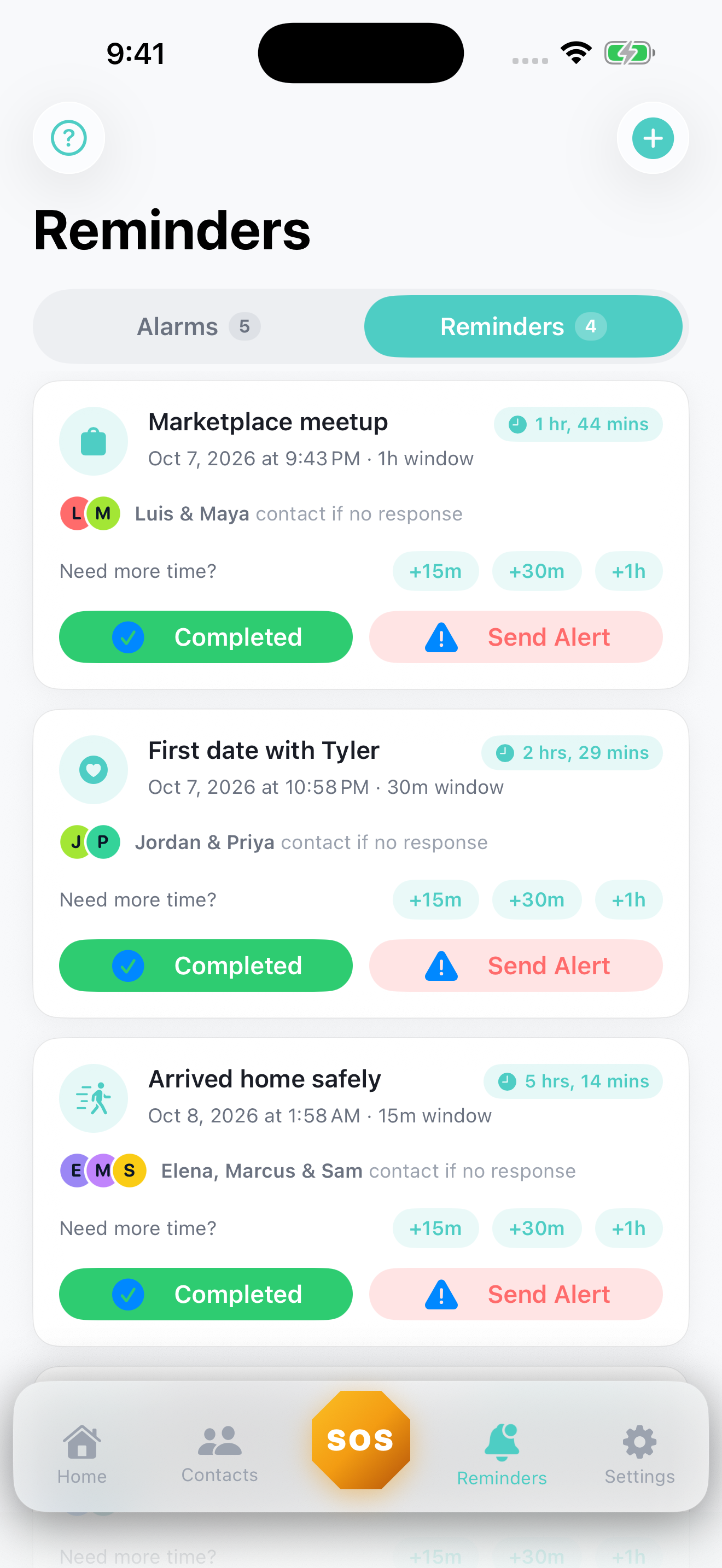
Go with a plan.A date, a meetup, the journey home. Choose who is alerted if you don’t respond to a protected reminder.
WellAlert reminders screen with fictional sample data View full resolution ↗
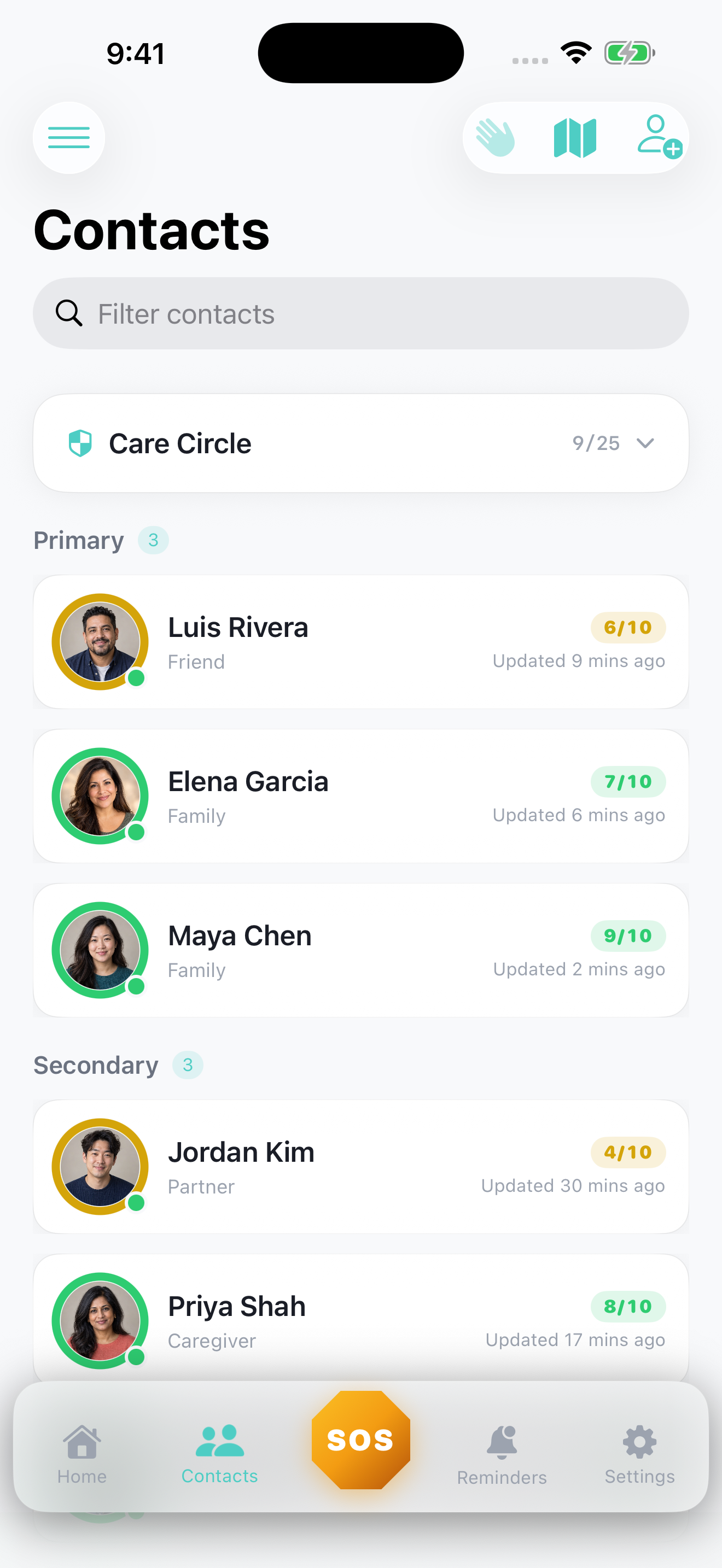
Your people, in one place.See the wellness updates your family, friends, and caregivers choose to share.
WellAlert care circle screen with fictional sample data View full resolution ↗
Share location on your terms.Give selected contacts location context when you choose to share it.
WellAlert shared map screen with fictional sample data View full resolution ↗
Home Screen widgets

Your Care Circle, at a glance.

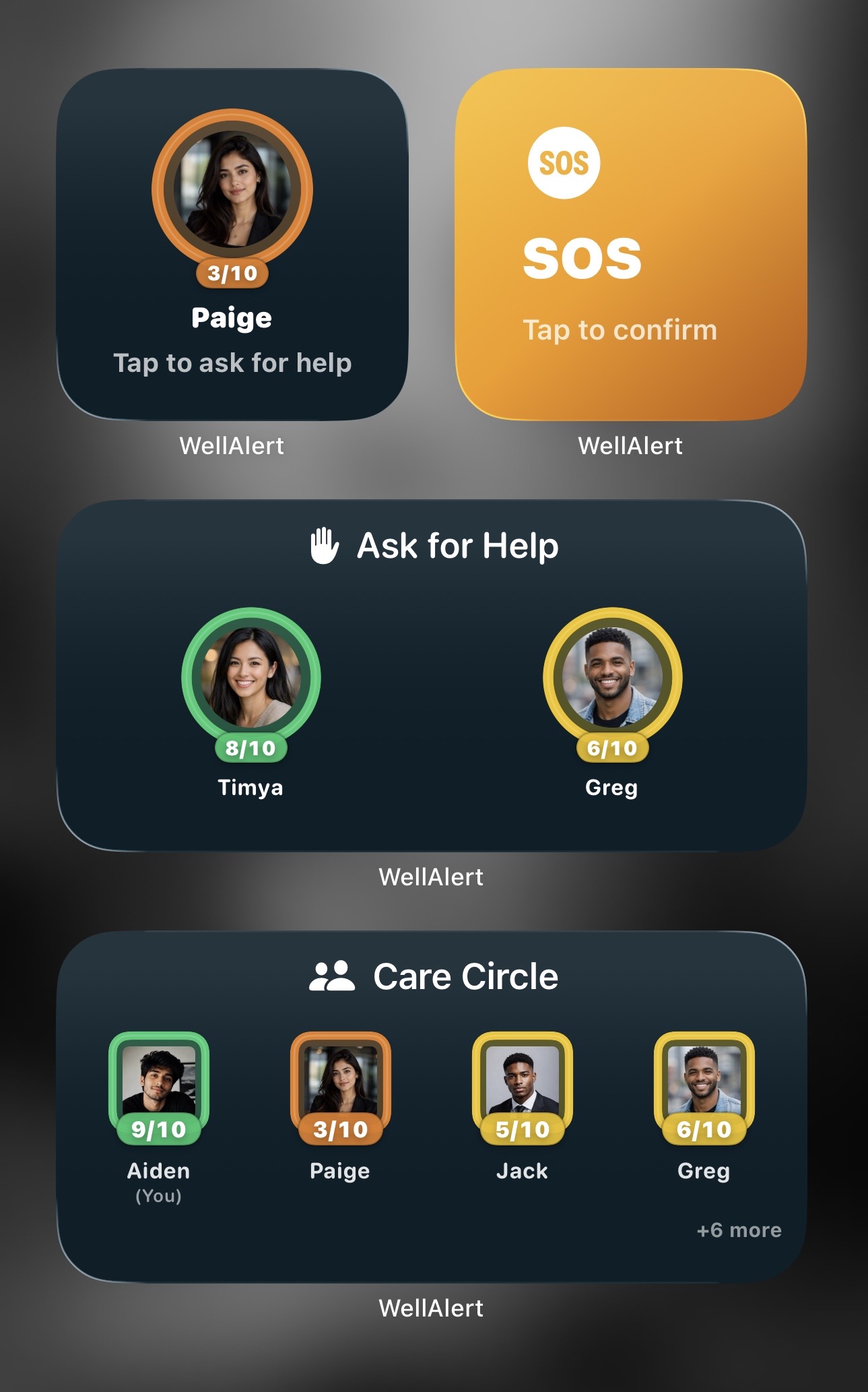
See shared wellness updates right on your Home Screen. Your people’s names, photos, and wellness rings make it easy to see how they’re doing without opening WellAlert.

Help, within easy reach. Use Ask for Help to reach an individual caregiver or Care Circle member, or SOS to alert eligible Care Circle contacts from supported Home Screen or Lock Screen widgets. Widgets show the latest available updates; what you see depends on sharing settings and refresh timing.

Download WellAlert on the App Store
Home Screen with WellAlert Care Circle wellness rings, Ask for Help, and SOS widgets using demo contacts
Home Screen widgets with demo content. View full resolution ↗
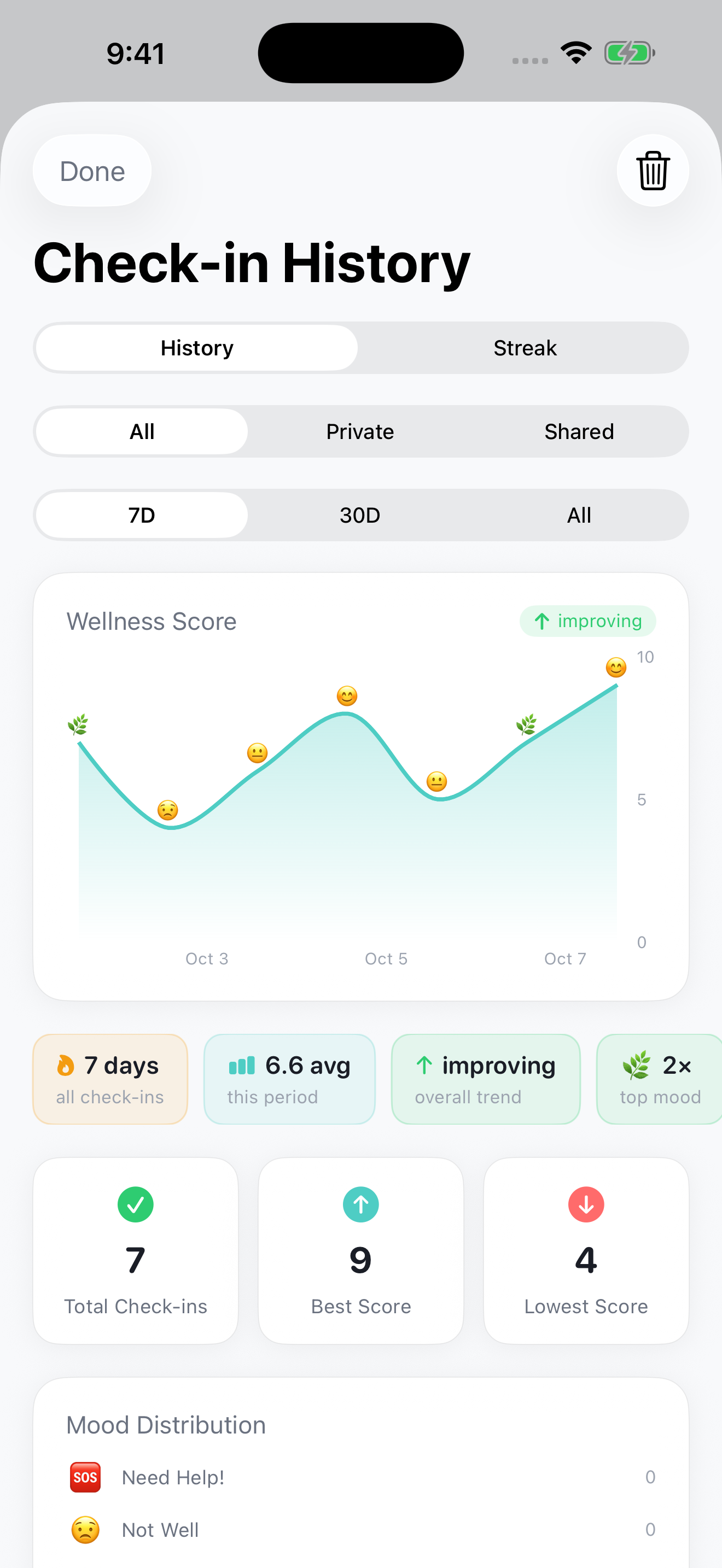
WellAlert check-in history chart showing a week of varied wellness ratings and moods with sample journal entries
Real app screen with fictional sample entries. View full resolution ↗
Wellness, mood & reflection

See the pattern. Make room for you.

A difficult day is one moment. Your check-in history helps you see the bigger picture. Look back at wellness ratings, moods, and notes to notice changes over time and reflect on what helps you feel more like yourself.

When you’re feeling stressed, stretched, burned out, or low, a simple record can help you put your experience into words and decide when to reach out for support. Keep entries private for your own reflection, or choose to share a check-in with your Care Circle.

Free includes 7-day history; Premium includes full history. Private entries stay on this device. WellAlert supports personal reflection and connection; it does not diagnose or treat mental health conditions.

Download WellAlert on the App Store
Pricing

Start free. Make more room with Premium.

Start with Free to build a Care Circle, share wellness updates, and set check-ins with contact follow-up. Keep a private journal with unlimited entries on either plan. Premium gives you room for more contacts and protected check-ins, plus full history; Free includes 7-day history.

Free

Everyday check-ins and contact follow-up.

  • Unlimited device-only alarms and reminders
  • 3 alarms and 3 reminders with safety backup
  • Up to 3 Care Circle contacts
  • Optional location sharing
  • 3 shared wellness check-ins per rolling 24 hours
  • SOS included, subject to plan limits

Premium pricing is shown in the app at purchase and billed through the Apple App Store. Cancel anytime in your Apple ID settings. Short-term sharing limits apply to both plans. WellAlert supports iOS 17 or later. Repeating alarms require iOS 26 or later on a supported iPhone; one-time reminders are available on iOS 17 or later.

Good questions

Before you start

Do my emergency contacts need the app?

Yes, for now. Your emergency contacts need WellAlert and must accept your invitation to receive push and in-app alerts. SMS and email alerts are coming soon in a future update. The free app also lets them acknowledge SOS alerts, see the wellness updates you choose to share, and ask for support themselves.

With Home Screen widgets, they can see their Care Circle’s latest available shared wellness updates at a glance. Supported Home Screen and Lock Screen widgets also put help within easy reach: Ask for Help reaches an individual caregiver or Care Circle member, while SOS alerts eligible Care Circle contacts.

They can use their own check-ins, private journal, and wellness history to reflect on mood, stress, and changes in how they’re feeling. Free includes 7-day history; Premium includes full history. Private journal entries stay on their device and aren’t shared with contacts.

When you choose to share your location, they can view it in the app. With location sharing configured for a protected reminder or missed alarm, they can also view the available location if you don’t respond within the response window (called the silence window for alarms). Live updates depend on your phone being able to obtain and send them; the map may show a last known location instead.


What happens if my phone dies before a check-in?

Safety backup gives your selected contacts a way to receive a missed-check-in alert even if your phone goes offline. Once cloud protection is armed successfully, the server keeps the deadline and can send the alert after your response window ends. Delivery depends on connectivity and notification settings, so keep another way to get help for critical situations.

Does WellAlert call 911?

No. WellAlert alerts the people you choose. It is not a medical device and does not contact emergency services. In a life-threatening emergency, always call your local emergency number first.

Who can see my location?

Optional location sharing is off by default. Choose who sees your location and when, and stop sharing at any time. SOS separately shares your location with the contacts alerted for that incident after the countdown ends.

Read the full FAQ

Set up your first check-in.

Download WellAlert free, invite someone you trust, and agree on how to follow up. Available for iPhone and iPad, with Apple Watch, widgets, and Messages features.